Sign Up & Login
Create Your Subscription
To use any of the Bynder connectors (XM/XP, SitecoreAI, or Umbraco), you need an active subscription on the Bynder integration portal.
You have two options:
- Self-service signup - Create a subscription directly on the Bynder integration portal (opens in a new tab) (free trial available)
- Contact Bynder - Reach out to your Customer Success Manager at Bynder for assistance
No payment details are required to get started. All new subscriptions begin with a free trial period. We'll contact you separately to discuss commercial terms.
Steps to Create a Subscription
1. Open the Portal
Visit the Bynder integration portal (opens in a new tab) in your web browser.
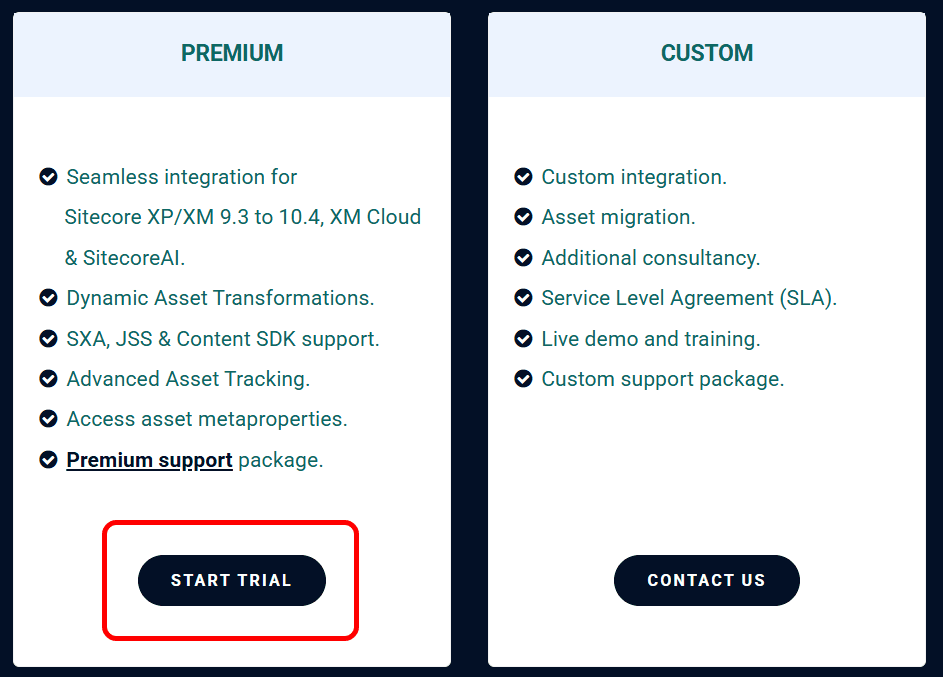
2. Start Trial
Click the Start Trial link in the header or click the Start Trial button further down on the portal homepage:

3. Sign Up
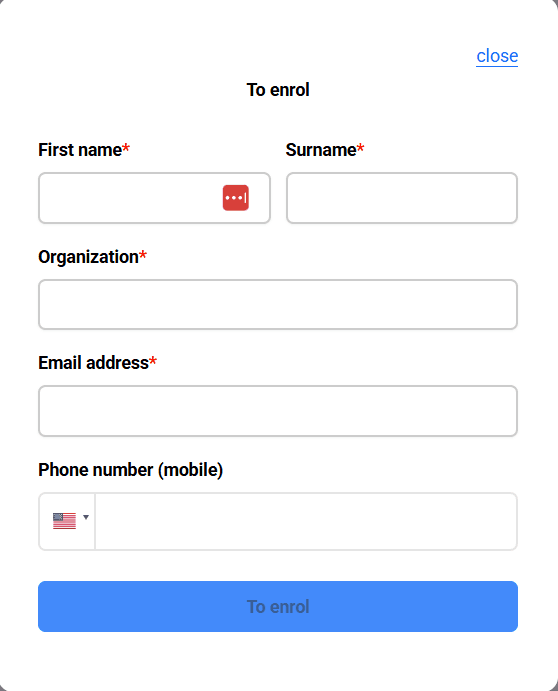
The sign-up dialog will appear. Fill in all required information:
- Email address
- Full name
- Company name
- Any other requested details
4. Submit Your Details
Click Sign Up to submit the form.
Confirmation Email
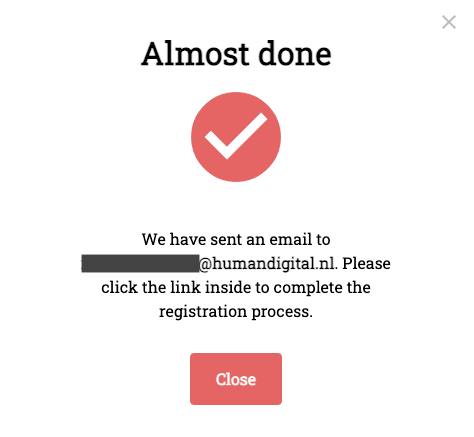
After submitting, you'll receive a confirmation email with a link to finalize your registration. This typically arrives within 1 minute. If you don't see it, check your spam folder and contact support if needed.
5. Confirm Your Email
Check your email and click the confirmation link to finalize your registration.
6. Login to Portal
Once confirmed, you can log in to your portal account. Your API key has been automatically generated and is ready to use. You're now ready to:
- Retrieve your API credentials for your connectors
- Configure your subscription settings
- Access support resources
Logging In
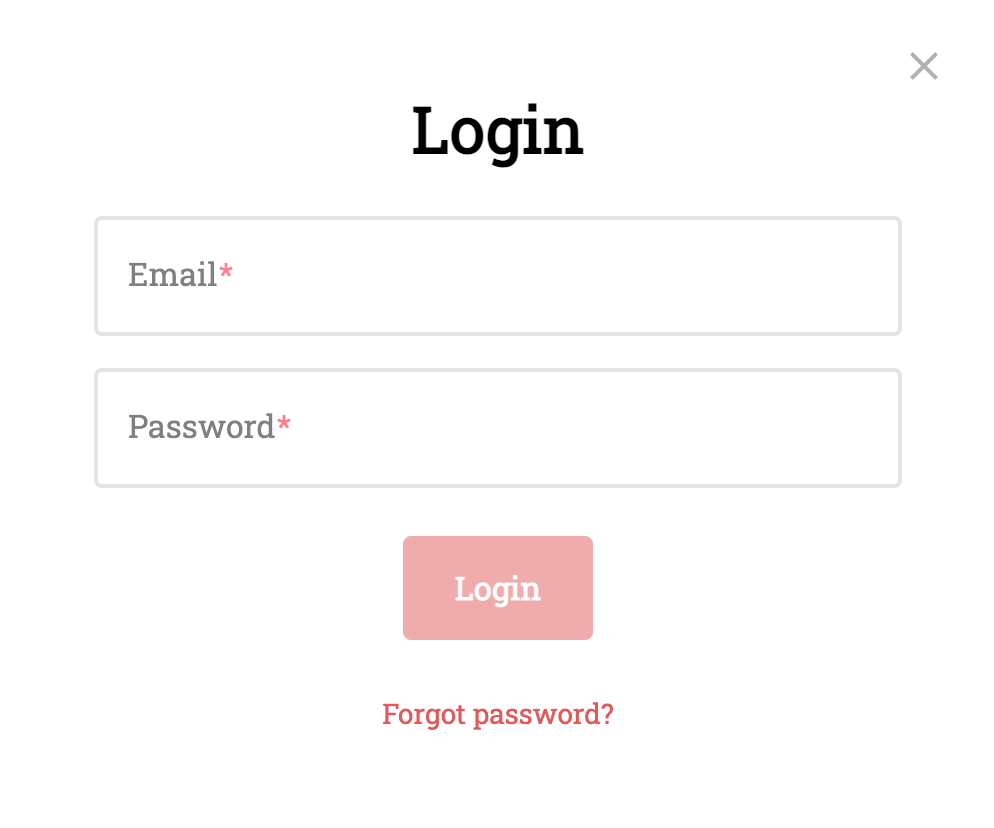
Visit the Bynder integration portal (opens in a new tab) and click the Login button in the header.

Enter your email and password in the login dialog.
Troubleshooting
- Didn't receive confirmation email? Check your spam folder, or contact support
- Forgot your password? Use the "Forgot Password" link on the login page
- Account issues? See the support page for contact information